

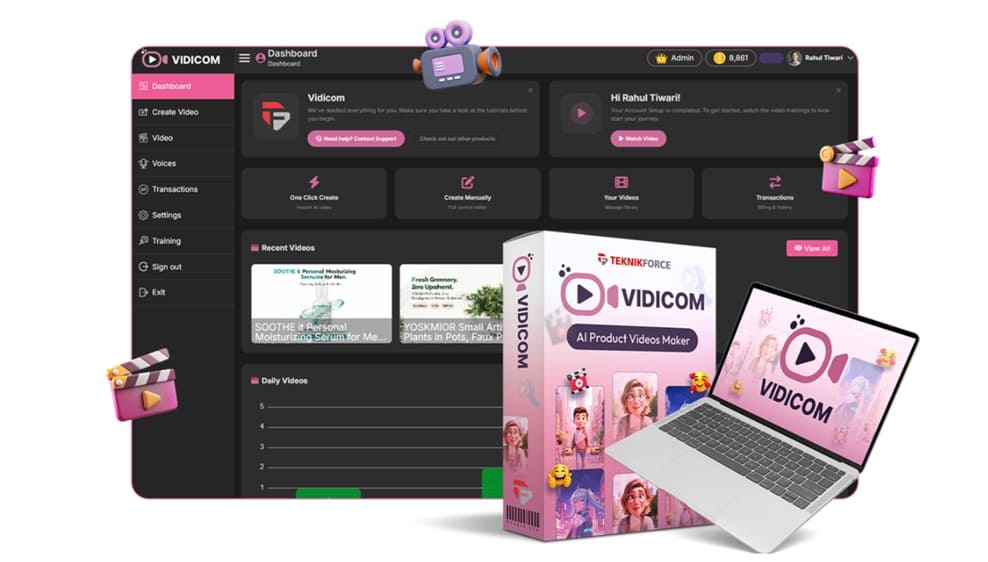
What Is Vidicom?
Vidicom is an AI-powered video generation platform that automatically creates promotional videos, product showcase videos, social media videos, UGC-style videos, reels, shorts, and sales videos using information from a product URL. The platform is built primarily for:
- E-commerce store owners
- Shopify sellers
- Amazon sellers
- Affiliate marketers
- Digital product creators
- Marketing agencies
- Freelancers
- Social media marketers
Instead of manually scripting, editing, animating, and producing videos, Vidicom automates the entire process.
How Does Vidicom Work? Step By Step
Here’s the process I followed.
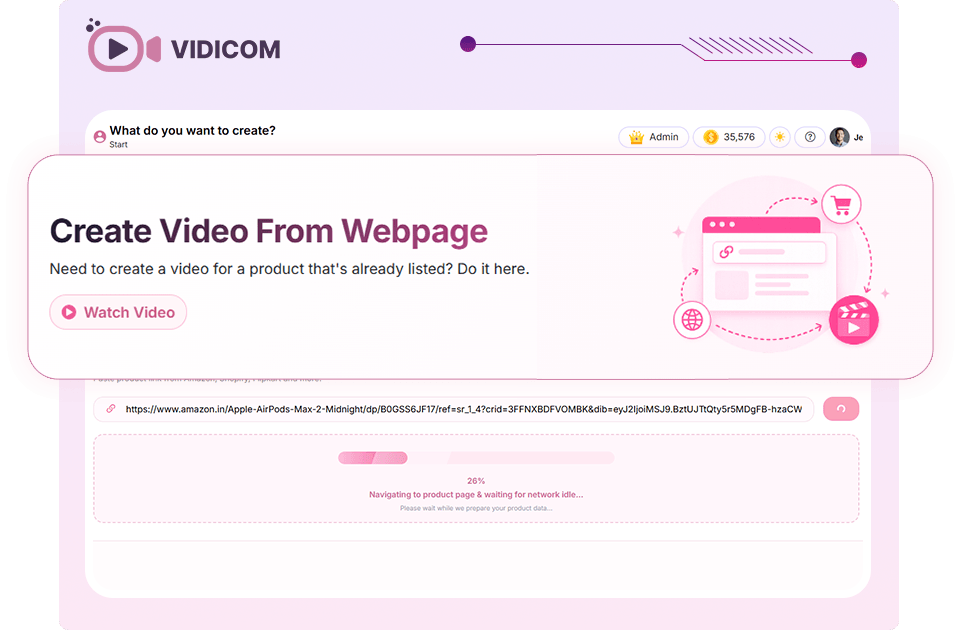
➤ Step 1: Paste Your Product URL
The first step is simply entering the URL of your product page. This can be:
- Shopify product pages
- Amazon listings
- E-commerce stores
- Affiliate offers
- Product landing pages
Vidicom scans the page automatically.
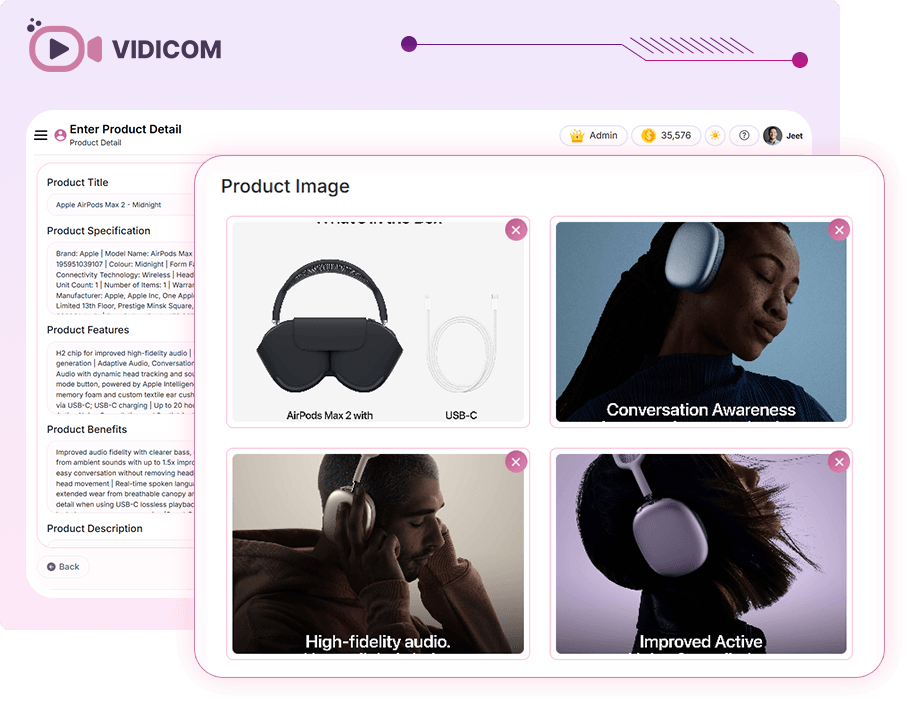
➤ Step 2: AI Extracts Product Information
The platform analyzes:
- Product images
- Product benefits
- Product descriptions
- Features
- Specifications
Instead of manually uploading everything, the software collects most of the information automatically.
➤ Step 3: Generate Video Script
After extracting the content, the AI creates a marketing script. The script is designed to:
- Highlight benefits
- Address buyer objections
- Present use cases
- Encourage conversions
This removes one of the biggest bottlenecks in video production.
➤ Step 4: Build Visual Scenes
Vidicom automatically creates scenes using:
- Product images
- AI-generated visuals
- Animated graphics
- Lifestyle scenes
- Product demonstrations
The software can even place products into realistic environments.
➤ Step 5: Add Voiceovers
Users can choose:
- AI voices
- Different accents
- Multiple languages
- Custom voices
- Voice cloning options
This helps create videos suitable for global audiences.
➤ Step 6: Customize Your Video
Before publishing, users can:
- Rearrange scenes
- Change text overlays
- Replace images
- Modify animations
- Upload custom assets
- Change music
This provides creative control without requiring editing expertise.
➤ Step 7: Export & Publish
Once completed, videos can be exported for:
- Product pages
- Instagram Reels
- TikTok
- YouTube
- YouTube Shorts
- Affiliate campaigns
- Client projects
The entire process can take just a few minutes compared to hours or days of traditional video production.
About The Creator

Vidicom is the latest AI-powered marketing solution from Cyril Gupta, founder of Teknikforce, a well-known software company that has been developing digital marketing tools for entrepreneurs, marketers, and agencies for many years. Teknikforce serves more than 100,000 users worldwide, making them one of the more established software vendors in the digital marketing space.
If you’ve been involved in internet marketing for a while, there’s a good chance you’ve come across some of Teknikforce’s products. The company has released a variety of tools covering video marketing, automation, lead generation, business productivity, and customer engagement.
Some of their popular products include Adstorm, Outrich, Imimic, Cohortia, Helpira, Webira, Freezur, Callsi, and several others. These tools are designed to help businesses streamline their marketing efforts while leveraging the latest AI technologies.
Vidicom Key Features
✅ Link-to-Video Engine
Vidicom’s core innovation is its ability to transform a simple product URL into a professional video. Just paste your store link, and the AI automatically extracts product visuals, features, and specifications to build a high-converting video.
✅ Automated Scripting & Animation
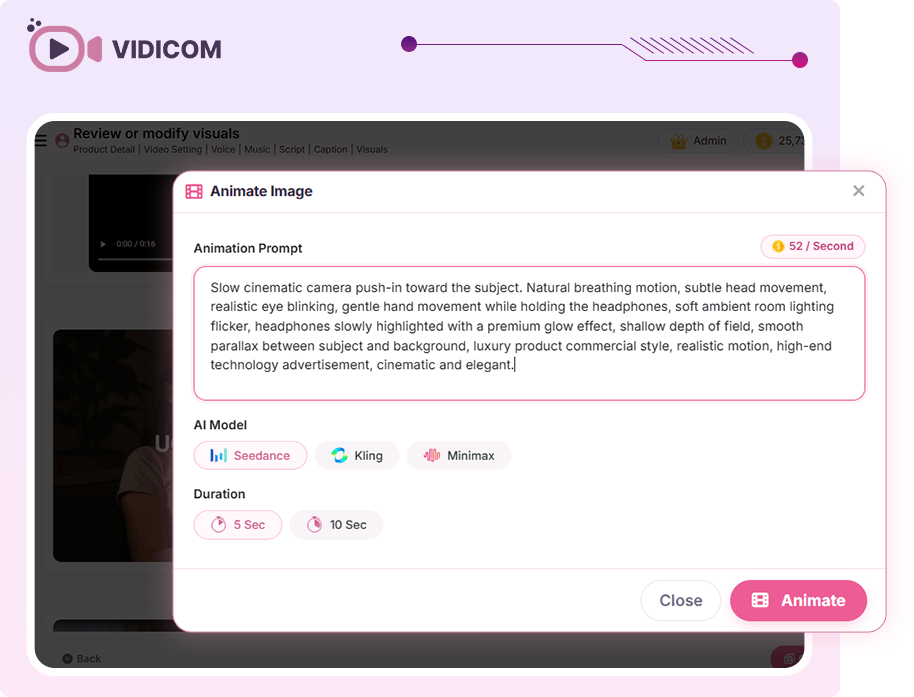
No need for scriptwriters or editors. Vidicom writes persuasive scripts, animates visuals, and compiles videos instantly. This automation ensures every video is polished and sales-focused.
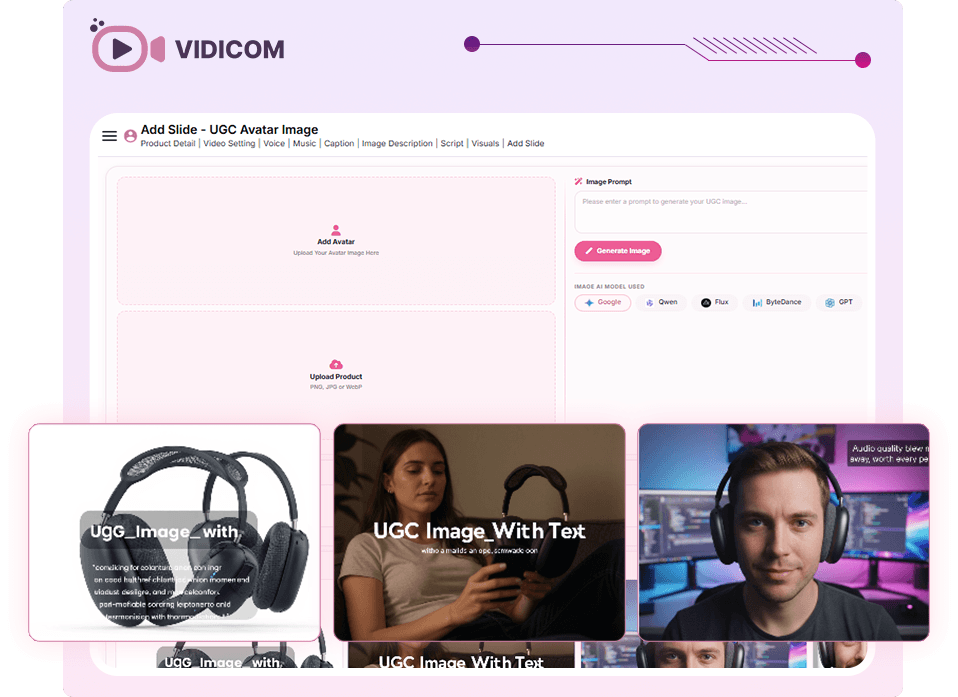
✅ UGC Integration
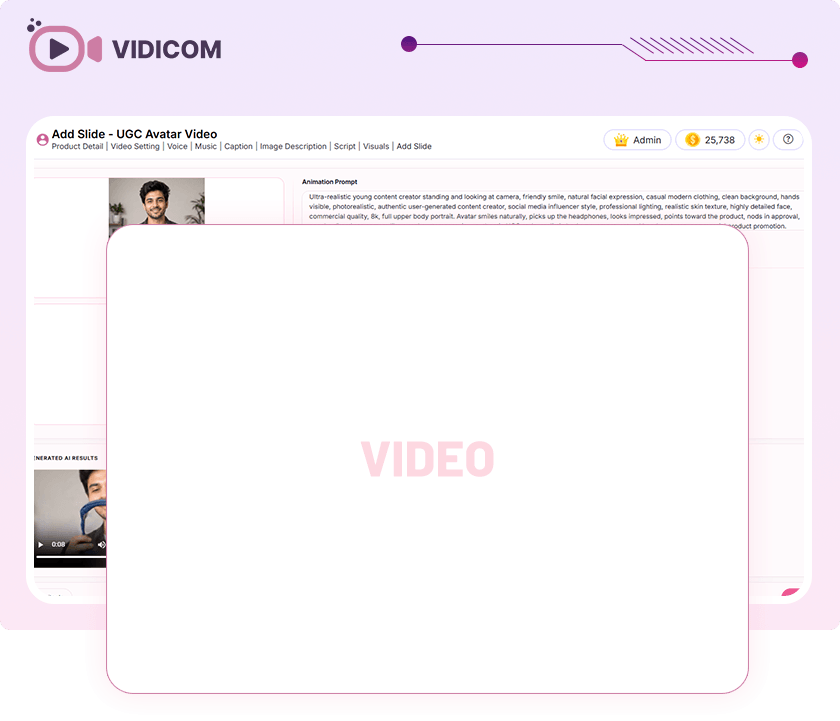
User-generated content (UGC) is proven to boost conversions. Vidicom lets you add realistic clips of people using and endorsing your products, making your videos more authentic and relatable.
✅ Infinite Testing & Creative Scale
Generate unlimited variations of videos for different demographics, angles, and benefits. This feature allows marketers to test multiple creative strategies without limits.
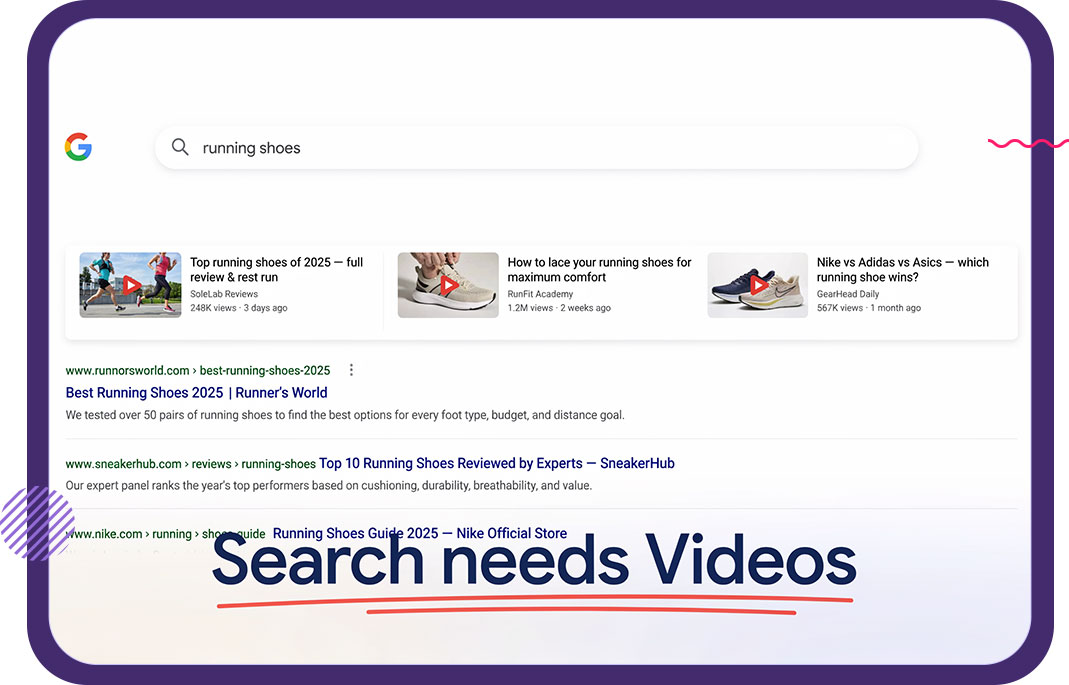
✅ SEO & Social Optimization
Vidicom produces videos tailored for Google, YouTube, TikTok, Instagram, and Facebook. Videos are formatted to dominate both search results and social feeds, ensuring maximum visibility.
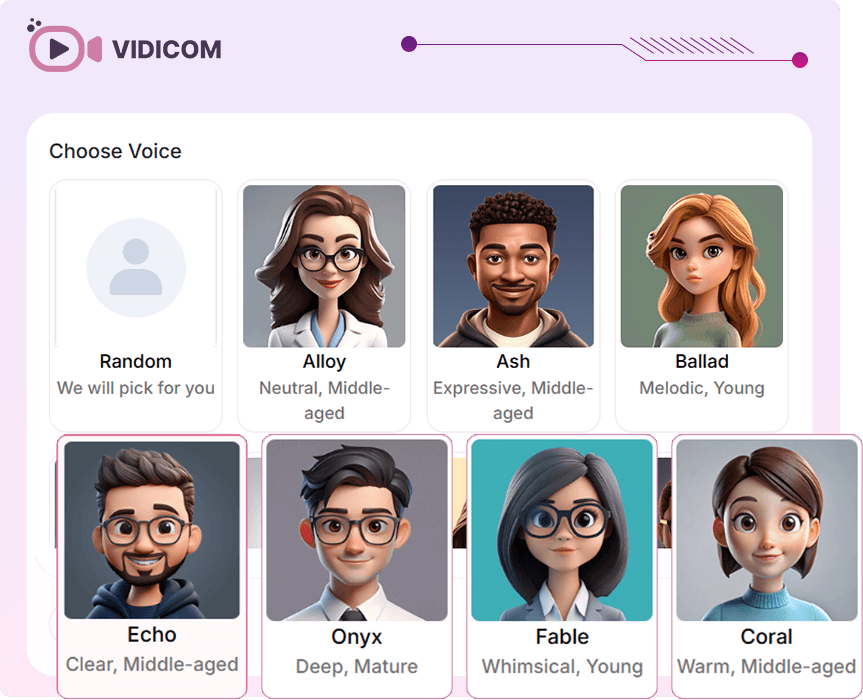
✅ Voiceovers in Any Voice
Choose from a library of professional AI voices, clone voices, or describe a custom voice. Vidicom also supports multilingual voiceovers, making it ideal for global campaigns.
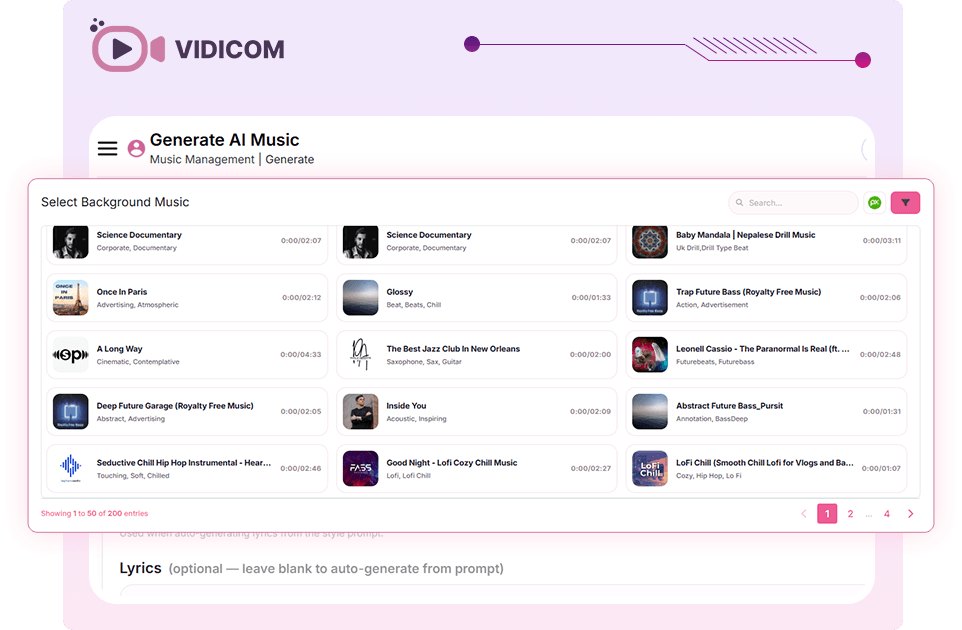
✅ Music Library & AI Composition
Select background tracks from Vidicom’s library, upload free music, or even create original AI-generated music. This ensures your videos always have the right emotional tone.
✅ Multi-AI Options
Vidicom integrates multiple AI models for scripting, graphics, and video production. This diversity ensures originality and gives users maximum creative flexibility.
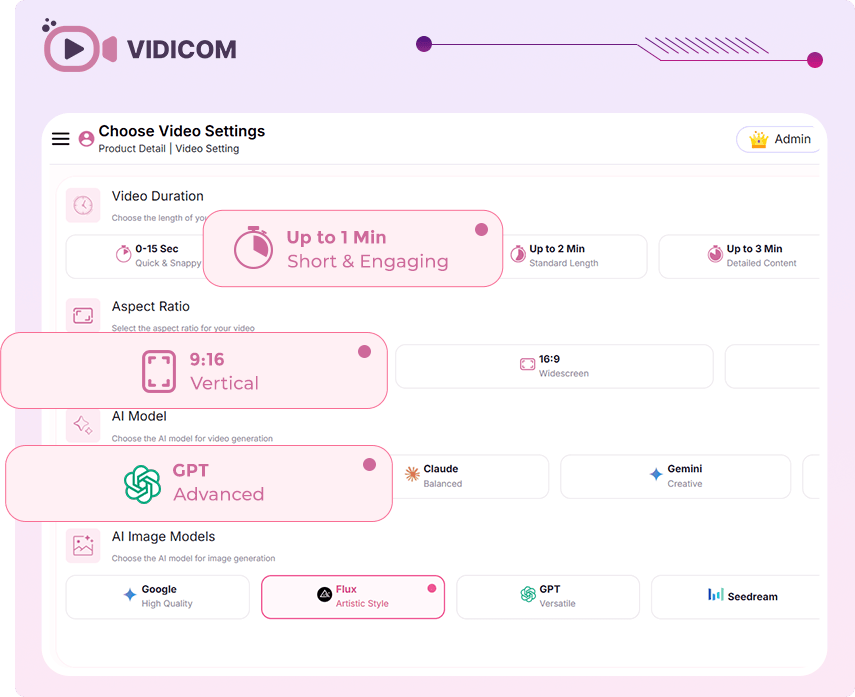
✅ Global Language Support
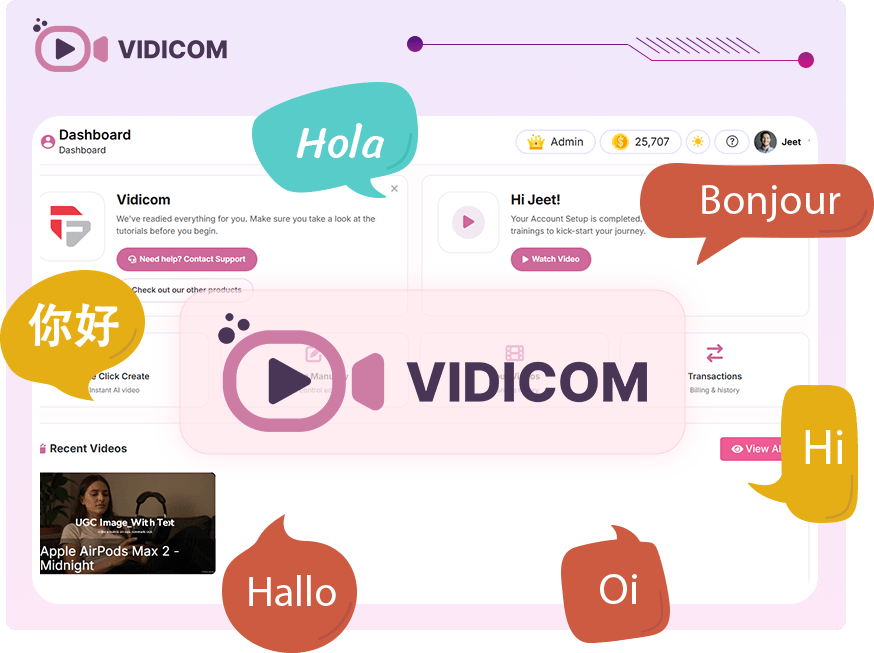
Target international markets with videos in multiple languages. Whether you’re selling in Europe, Asia, or beyond, Vidicom adapts to your audience.
✅ Custom Graphics & Branding
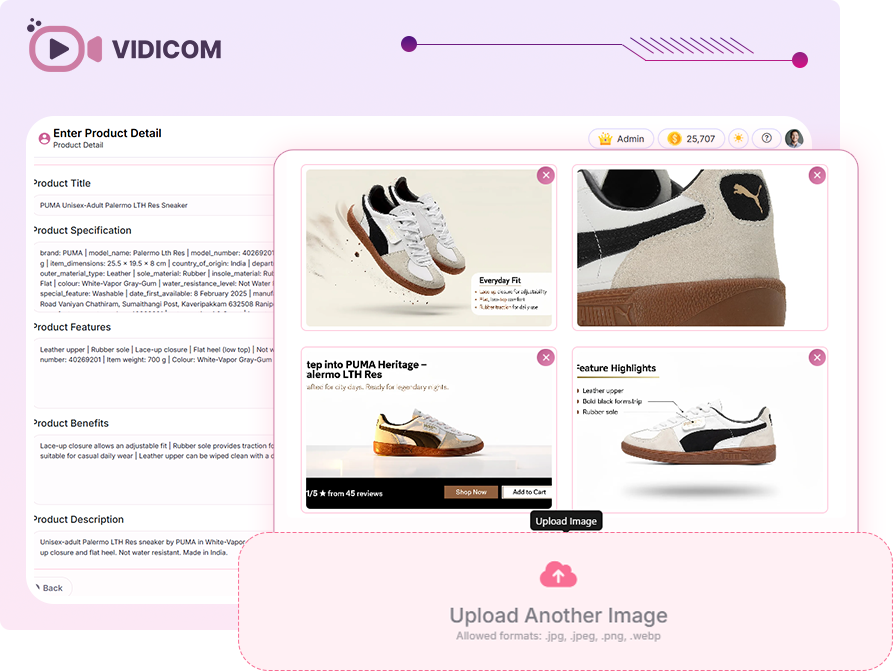
Upload your own logos, product images, and brand assets. Vidicom seamlessly integrates them into videos, maintaining brand consistency.
✅ Creative Control
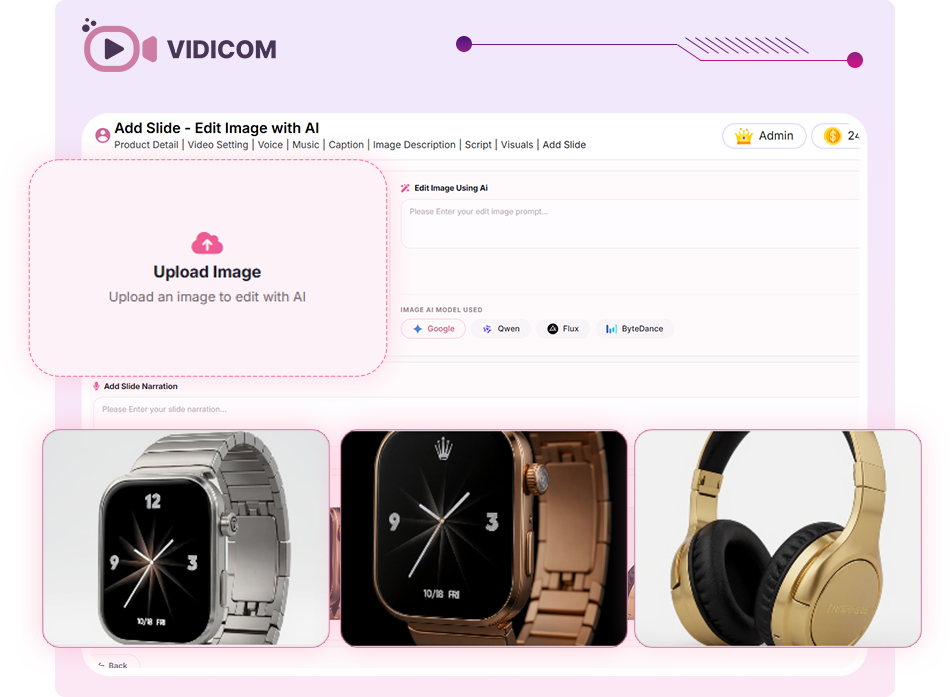
While Vidicom automates production, it also allows manual tweaks. You can re-sequence scenes, overlay text, swap imagery, and adjust animations to match your vision.
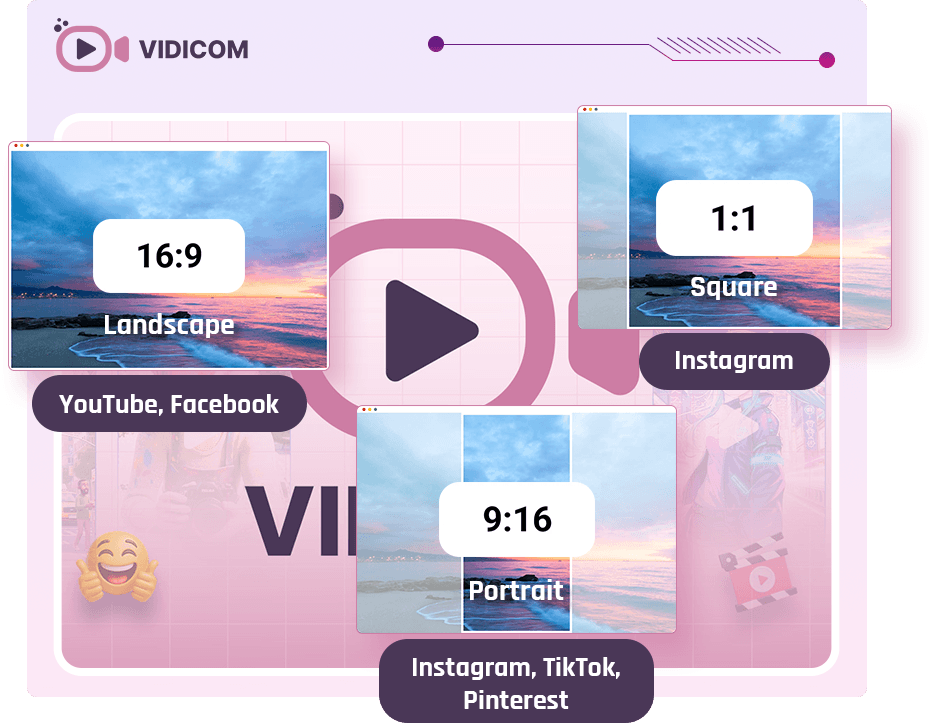
✅ Supports All Video Formats
Create videos in any ratio—horizontal, vertical, or square. Vidicom supports long-form videos (up to 7 minutes) for YouTube and Facebook, as well as short-form Reels and TikToks.
✅ Real-World Use Cases
Vidicom’s AI places products in realistic environments, helping buyers visualize how they fit into daily life. This storytelling approach increases engagement and conversions.
✅ Commercial & Reseller Rights
Vidicom isn’t just for personal use. With commercial rights, you can create videos for clients. The reseller upgrade even lets you sell Vidicom licenses and keep 100% of the profits.
✅ Ease of Use
Vidicom is designed for non-experts. No editing, no equipment, no actors—just paste your product link and let the AI handle everything.
✅ Support & Guarantee
- 30-day money-back guarantee
- 24/6 live chat support
- 24-hour ticket response
- Live assistance via Skype/Teamviewer
👉 Get Vidicom At An Exclusively Discounted Price 📌
DEMO VIDEO
How Much Does Vidicom Cost?
❤️ Vidicom Front End ($37)
When I first saw Vidicom priced at just $37, I wasn’t sure what to expect. But after using it, I realized how much value was packed into that entry-level plan.

This package is clearly built for small businesses, solo marketers, and beginners who want to dip their toes into video marketing without breaking the bank. Whether you need product demonstrations, promotional videos, social media reels, affiliate review videos, or content for your sales pages, Vidicom makes the process much more approachable—even if you’ve never edited a video before.
For $37, I think it’s a reasonable investment for anyone who wants to add more video content to their marketing without taking on the cost and complexity of a full production workflow. If you’ve been putting off video marketing because it felt too technical, too expensive, or too time-consuming, Vidicom is definitely worth taking a closer look at while the introductory pricing is still available.

Vidicom All-Inclusive – Price: $237
If you’re serious about using AI to grow an e-commerce business, manage client campaigns, or build a video marketing agency, the Vidicom All-Inclusive Bundle offers the best overall value. Rather than purchasing each upgrade separately, this package gives you access to the complete Vidicom ecosystem at a significantly lower cost. Think of it as turning Vidicom from a video creator into a complete e-commerce marketing suite.
With this bundle, you can:
- Create professional product videos in minutes
- Generate unlimited video variations for testing
- Produce engaging UGC-style content
- Access multiple premium AI video engines
- Drive traffic through automated live streaming
- Sell video creation services to clients
- Resell Vidicom licenses and keep the profits
Here’s Everything Included

Why I Like This Bundle
After reviewing all the upgrades, this is honestly the package that makes the most sense for serious users. If you’re only planning to create a few videos each month, the front-end version may be enough. However, if you’re running multiple products, managing several stores, creating content for clients, or looking to build a side income from video services, you’ll likely outgrow the basic version fairly quickly.
The All-Inclusive bundle removes virtually every limitation and gives you access to the full power of the Vidicom platform from day one. When you compare the cost of video editing software, AI video generators, live-streaming tools, content creation platforms, and reseller opportunities separately, the bundle can represent substantial savings.

The Upsells/ OTOs
➡️ OTO 1: Vidicom PRO Price: $67 ➤ Access OTO 1 Here
If you find yourself creating videos regularly or managing multiple products and campaigns, the PRO upgrade is where Vidicom really starts to shine. While the front-end version is great for getting started, Vidicom PRO removes many of the limitations and gives you the flexibility needed to scale your video marketing efforts.
With Vidicom PRO, you’ll get:
- 50,000 Welcome Credits
- Unlimited Campaigns
- Advanced AI Video Editing Features
- Access To Multiple AI Models
- Unlimited UGC Video Clips
- Team Access
- Commercial License Included
- 2 Years Of Free Upgrades
For e-commerce sellers, affiliate marketers, freelancers, and agencies, this upgrade can easily pay for itself if you’re creating videos on a regular basis or offering video creation services to clients.
➡️ OTO 2: Vidicom Reseller Price: $197 ➤ Access OTO 2 Here
The Reseller upgrade is designed for those who want to turn Vidicom into an additional income stream. Instead of simply using the software yourself, you’ll be able to sell Vidicom accounts to others and keep 100% of the profits from every sale.
Here’s what you get:
- 70 Vidicom PRO Licenses To Sell
- Keep 100% Of The Revenue
- No Need To Create Your Own Software
- No Product Development Costs
- No Customer Support Headaches
This upgrade is particularly attractive for marketers who already have an audience, email list, agency clients, or social media following and want to monetize them with a proven software product.
➡️ OTO 3: Vidko PRO Price: $67 ➤ Access OTO 3 Here
Vidko PRO takes AI video creation even further by giving you access to multiple cutting-edge AI video generation engines from a single platform. Think of it as your complete AI video production studio.
With Vidko PRO, you can:
- Create high-converting marketing videos, shorts, promos, intros, and B-roll footage
- Access multiple leading AI video models from one dashboard
- Generate videos directly from simple text prompts
- Turn static images into engaging animated videos
- Create videos in various styles including cinematic, animation, anime, doodle, 3D, and live action
- Produce content for YouTube, TikTok, Instagram, Facebook, websites, and advertising campaigns
- Generate unlimited creative variations to test different hooks, offers, and audiences
- Use commercial rights to sell video creation services to clients
What I like most about Vidko PRO is the creative flexibility. Instead of relying on a single AI engine, you can experiment with multiple video models and styles to find what works best for your audience.
➡️ OTO 4: Livecaster 24×7 PRO Price: $67 ➤ Access OTO 4 Here
Creating videos is only half the battle. You also need a reliable way to get those videos in front of potential customers. That’s where Livecaster 24×7 PRO comes in. This upgrade allows you to automatically stream your videos around the clock across major social media and video platforms.
Key features include:
- Live stream a single video or an entire playlist on repeat
- Create 24/7 live channels for product promotions, tutorials, music, reviews, and more
- Schedule streams in advance
- Run live streams even when your computer is turned off
- Broadcast to YouTube, Facebook, TikTok, Instagram, Twitch, Amazon Live, and other platforms
- Stream to multiple platforms simultaneously
- Manage several live streams at the same time
- Fully automate your live streaming campaigns
- Keep generating views and engagement 24 hours a day
For marketers looking to maximize the value of every video they create, Livecaster 24×7 PRO can help extend content reach and keep your brand visible even when you’re not actively working.
Why Should You Choose Vidicom?
My Personal Experience With Vidicom
When I purchased Vidicom, I decided to test it on one of my affiliate projects called SmartKitchen Deals, a niche website where I promote kitchen gadgets, cooking accessories, and home products through affiliate partnerships.
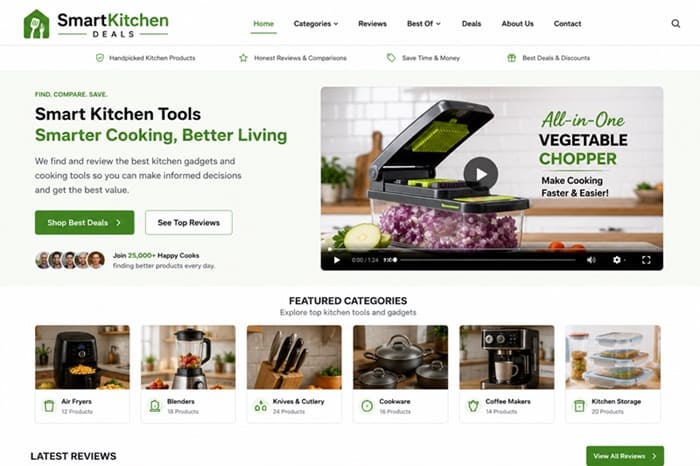
Before using Vidicom, my content strategy relied mostly on product reviews, comparison articles, and static product images. While the site was generating sales, I knew I was missing opportunities because I wasn’t using enough video content on my product pages or social media channels.
The biggest problem was time. Creating a single product video manually could easily take me two to three hours between writing scripts, finding visuals, recording voiceovers, and editing everything together. Because of that, I rarely created videos consistently.
With Vidicom, I started by pasting the URLs of several products I was promoting. The software automatically pulled product information, generated scripts, created scenes, added voiceovers, and produced videos that were surprisingly usable right out of the box.
During my first week, I created videos for 12 different products and published them on:
- Product review pages
- YouTube Shorts
- Facebook Reels
- Pinterest Video Pins
|
1. SliceMaster Pro Vegetable Chopper – Category: Kitchen Gadgets
2. FreshLock Vacuum Food Storage System – Category: Food Storage
3. ChefEase Digital Air Fryer XL – Category: Air Fryers
4. BlendForce Portable Smoothie Maker – Category: Blenders
5. SharpEdge Precision Knife Set – Category: Kitchen Knives
6. QuickBrew Barista Coffee Station – Category: Coffee Makers
7. SmartSeal Food Saver Pro – Category: Food Preservation
8. RapidMix Stand Mixer Elite – Category: Baking Tools
9. HeatGuard Non-Stick Cookware Set – Category: Cookware
10. FreshPrep Salad Spinner Deluxe – Category: Food Preparation
11. SteamChef Multi-Cooker Plus – Category: Multi-Cookers
12. PureSip Water Filtration Pitcher – Category: Kitchen Essentials
|
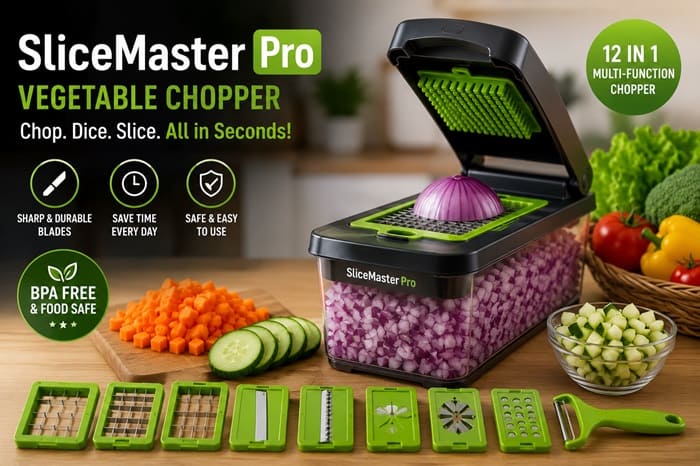
The process was much faster than anything I had done before. After approximately 45 days, I started noticing some encouraging results. My product pages that included videos were getting visitors to stay longer compared to pages without videos. More importantly, some of those visitors were clicking through to the affiliate offers at a higher rate.
Over a two-month period, my SmartKitchen Deals project generated:
- 87 affiliate sales
- Approximately $2,300 in affiliate commissions
- Around 28% more click-throughs on pages where I embedded Vidicom videos
Now, I want to be clear: I can’t say every sale came directly from Vidicom. That wouldn’t be honest. The traffic was coming from multiple sources, including SEO, Pinterest, YouTube, and social media. However, I genuinely believe the videos helped visitors understand the products faster and made the pages feel more engaging compared to simple text and images.
Another thing I liked was the ability to create multiple video variations for the same product. Instead of making one video and hoping it worked, I could test different hooks, benefits, and marketing angles without spending hours editing.
For example, one kitchen slicer video focused on saving time in the kitchen, while another emphasized healthier meal preparation. The time-saving version ended up generating noticeably more clicks, giving me valuable insight into what my audience responded to.
Overall, I found Vidicom to be a practical tool for marketers who need a consistent flow of product videos without hiring freelancers or learning advanced editing skills. It’s not a magic button that instantly generates sales, but it does make video creation significantly easier, and for me, that made it a worthwhile addition to my marketing toolkit.
Conclusion
That’s all what I want to share with you about Vidicom. I hope that my review can give you a helping hand in deciding what is best for you.
Important Reminder: When you purchase this product through my special link, you’ll unlock exclusive, valuable bonuses that you won’t find anywhere else! (Please note: these bonuses are only available with the full purchase-not with trial or free versions.)
To claim your bonus gifts, simply complete these two easy steps:
⏩ Step 1: Click the Buy Now button below to secure your copy of this product.

⏩ Step 2: Once your purchase is confirmed, just send a copy of your receipt to dannyreview98@gmail.com. I’ll verify your order and personally send you all the details on how to access your bonus materials.
»»VIP Bonus Package 2026««
»»Graphic Bonus Package««
»»Theme Bonus Package««
»»Plugin Bonus Package««
»»General Bonus Package««