

Quick Summary
- Product: WelcomeBook Studio™
- Creator: Bayu Tara Wijaya & the PLRStudio Team
- Launch Date: October 18, 2026 at 9:00 AM EST (promotion ends October 23)
- Front-End Price: $16 one-time 👉 Amazing Discounted Price Right Here! 📌
- Category: Guided studio that plans complete 25-page Welcome Books and gives you coordinated page-by-page prompts for ChatGPT
- Requirements: ChatGPT (no paid plan or API key required by the Studio) and a browser
- Refund Policy: 30-day technical guarantee
Ask ChatGPT for one Welcome Book page and you’ll often get something impressive. Ask it for twenty-five pages and things start to drift: fonts change, the layout wanders, the photos don’t match, and sometimes it invents a Wi-Fi password or a checkout time you never gave it. A professional Welcome Book isn’t one nice page. It’s a whole publication that has to work as one book.
WelcomeBook Studio is built for that coordination problem. I had review access before the launch and used it to create guest books for vacation rental hosts. Below I’ll cover how it works, the team behind it, the features, the price and upgrades, and what happened when I offered Welcome Books as a paid service.
What Is WelcomeBook Studio? How Does It Work Step By Step?
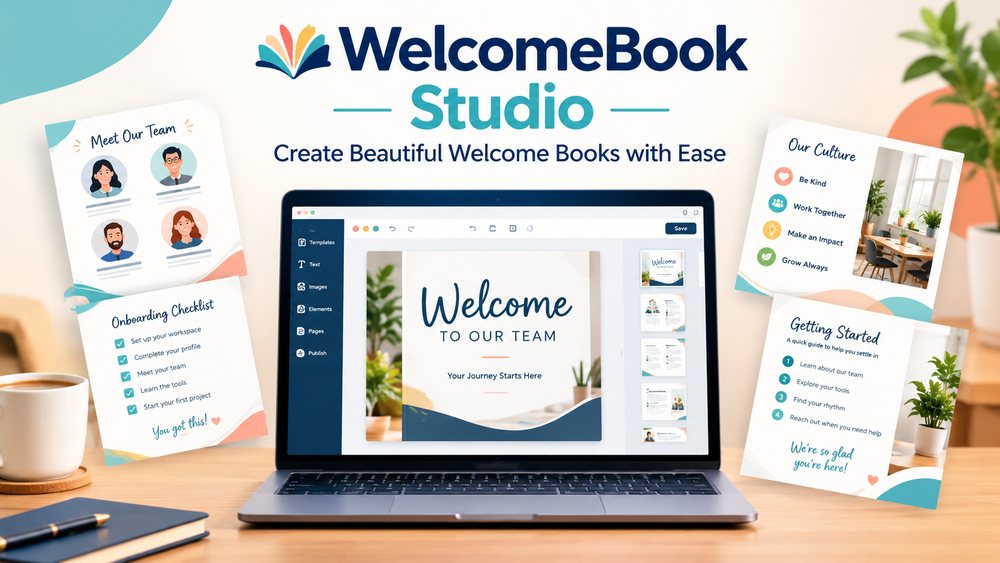
WelcomeBook Studio™ is a guided workflow app for building professional 25-page Welcome Books with ChatGPT. It organizes your project before you generate anything: a niche-specific page structure, your real project details, one of three visual styles, the assets each page needs, and a coordinated sequence of page-by-page prompts. You then follow that workflow inside ChatGPT, starting with a Design Lock prompt and a Page 01 Visual Anchor, so every page belongs to the same book. It includes 10 niche workflows, 10 built-in languages, A4 and US Letter formats, and Commercial Rights.
Here’s the four-step workflow I followed for every book:
➤ Step 1 — Pick your niche. Choose one of the 10 professional niches, then set the visual style, the content language and the book size.
➤ Step 2 — Build your brief. Add your real project details and content, plus photos, logos, QR codes and any other assets you have.
➤ Step 3 — Get your workflow. The Studio prepares your Design Lock, the 25-page structure, asset requirements, page guidance and coordinated prompts.
➤ Step 4 — Complete your Welcome Book. Take the workflow into ChatGPT and create the book one coordinated page at a time, from the front cover to the back cover.
About The Creator

WelcomeBook Studio is created by Bayu Tara Wijaya and the PLRStudio team. PLRStudio is known for polished, ready-to-use digital products and PLR resources for creators and sellers, and the PLR Studio Best-Selling Product Bundle in this very funnel shows how large their catalogue has grown.
Bayu built this Studio around one simple idea: you shouldn’t have to figure out every page from scratch. That thinking shows everywhere, from the niche-specific page plans to the real-data boundaries that stop ChatGPT from inventing details. The sales page even shows real pages from all ten niches, which tells me the team tested the workflow thoroughly before release.
WelcomeBook Studio Review – Key Features
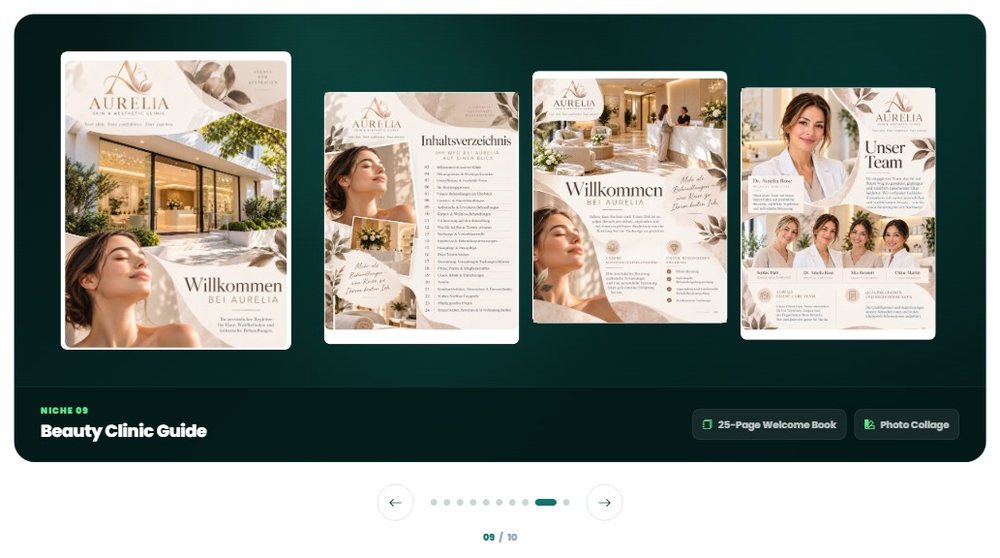
✅ 10 Niche-Specific Workflows: Airbnb and short-term rentals, luxury villas and glamping, boutique hotels and resorts, apartment resident guides, co-living spaces, corporate client handbooks, employee onboarding, medical clinics, beauty clinics, and gyms and fitness studios. Each has its own page structure built around what that audience needs to know.


✅ A Complete 25-Page Structure: Every project follows a planned cover-to-back-cover flow, so you know exactly which pages to build and in what order. No more deciding the sequence as you go.
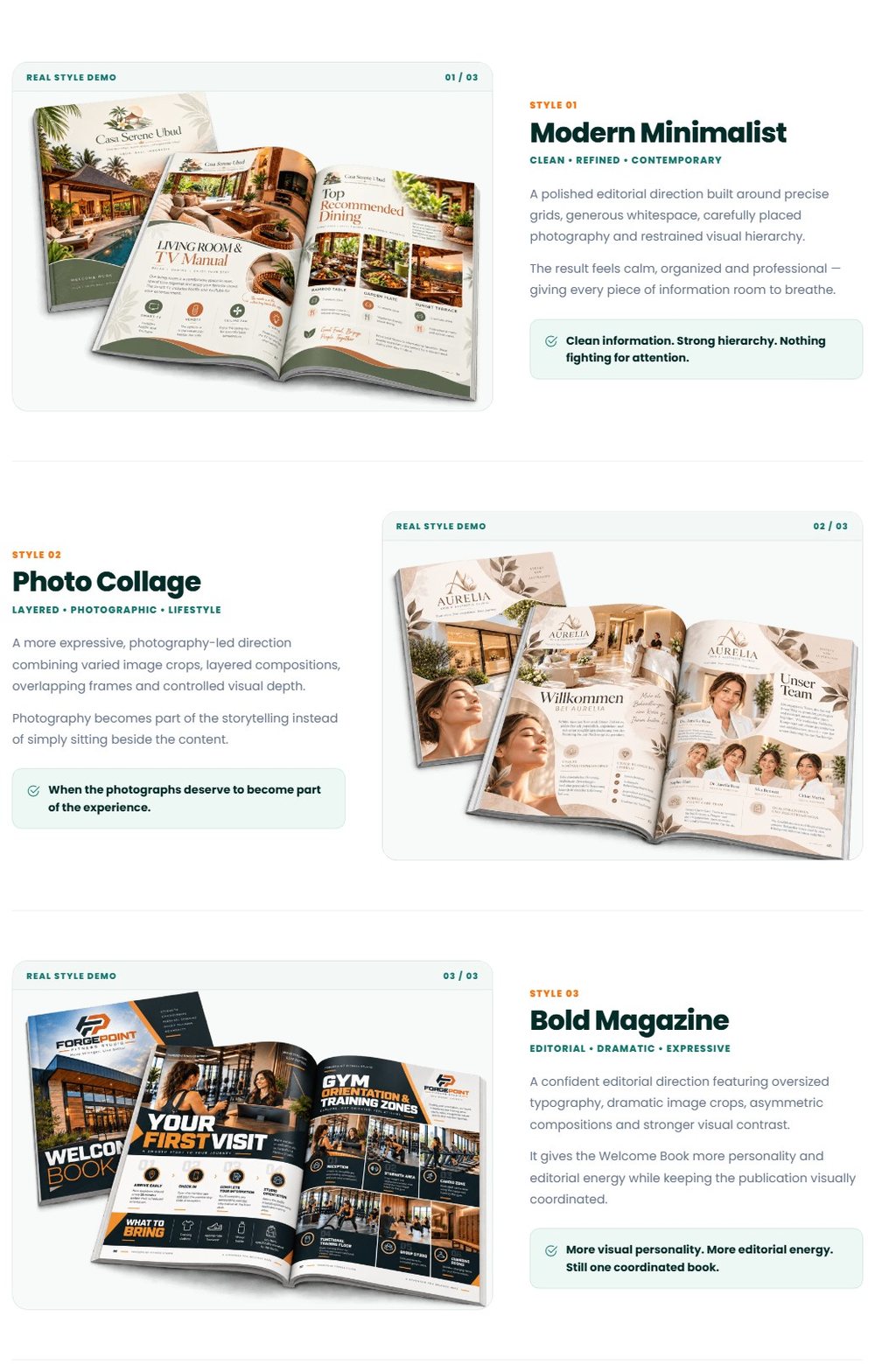
✅ 3 Professional Visual Styles: Modern Minimalist, Photo Collage and Bold Magazine are three different composition systems, not color presets. Each one shapes typography, imagery, spacing and editorial feel across the whole book.
✅ Design Lock + Visual Anchor: Prompt #0 establishes the visual system, Page 01 sets the visual reference, and pages 02 to 25 continue the same publication in the same ChatGPT conversation. This is what keeps page 19 looking like page 1.
✅ Asset Intelligence: For every page, the Studio tells you which project photos, brand assets, logos and working QR codes matter. You prepare the right visuals before you start, instead of discovering a missing photo halfway through.
✅ Real-Data Boundaries: Page guidance includes clear factual limits, so missing information doesn’t turn into invented details. For a guest guide, that means no made-up check-out times or house rules.
✅ 10 Built-In Languages: English, Spanish, French, German, Portuguese, Indonesian, Hindi, Japanese, Chinese and Arabic. Choose the language during setup and the whole workflow follows it.

✅ A4 And US Letter, Print-Aware: Pick your book size with print-aware margins and 300-DPI target guidance, so the finished book works on screen and on paper.
✅ Demo Project Mode And TXT Export: No real project yet? Build a fictional example for practice, previews or your portfolio. You can also save the full project workflow as a structured TXT file for later.
✅ Commercial Rights: Create finished Welcome Books for yourself, your business or paying clients, and charge for the work you deliver.
DEMO VIDEO
🎁Exclusive Vendor Bonuses
The front end includes two practical bonuses:
- Welcome Book PDF Combiner™: upload your finished pages, arrange the order and export one complete Welcome Book PDF without another design tool.
- Welcome Book Mockup Studio™: 100+ professional mockup setups in 10 collections, a built-in prompt builder and 1 to 4 page compositions for portfolio and promotion visuals.
WelcomeBook Studio Pricing & Funnel Summary
WelcomeBook Studio Front End ($16)
The front end costs $16 one-time during the launch, which runs from October 18 to October 23. It includes the Studio, 10 niche workflows, the 25-page structure, 3 visual styles, 10 languages, Design Lock and Visual Anchor, Asset Intelligence, A4 and US Letter formats, Demo Project Mode, Commercial Rights and both bonuses. A 30-day technical guarantee covers you if a technical issue the team can’t resolve stops the Studio from working as intended.
Is it worth it? I’d compare it with what a Welcome Book costs to commission. Designers commonly charge well over a hundred dollars for a custom guest guide, and planning one yourself in ChatGPT can take days of trial and error. For $16 once, you get a repeatable workflow for every book you’ll ever make, plus the right to charge clients. It’s a natural fit for Airbnb hosts, property managers, freelancers, designers and anyone serving local businesses. One thing worth knowing: the Studio guides ChatGPT page by page rather than producing the whole book in one click, which is exactly what keeps the 25 pages consistent.
💡 Value-for-Money Rating: 9.6/10
For $16, a complete, repeatable workflow for professional 25-page Welcome Books with Commercial Rights is excellent value, and one client book pays for it many times over.
👉 Get WelcomeBook Studio At An Exclusively Discounted Price 📌
The Upsells:
➡️ OTO 1 — WelcomeBook Studio PRO ($34): PRO is the full, complete edition. It adds 25 more niches for 35 in total, 4 more visual styles for 7 in total, Custom Language Support™ beyond the 10 built-in languages, and 7 designated PLR Business Resources. It’s ideal for freelancers and agencies serving many types of clients.
➡️ OTO 1 Downsell — WelcomeBook Studio PRO Lite ($24): PRO Lite includes the same 35 niches, 7 styles and Custom Language Support™, without the 7 PLR Business Resources. It’s a lighter way to get the expanded studio.
➡️ OTO 2 — PLR Studio Best-Selling Product Bundle ($49): This bundle brings a selection of PLRStudio’s best-selling PLR products: ready-made digital products that expand your inventory, with resale opportunities under each product’s license. It suits sellers who want more products to offer alongside their Welcome Book services.
Why Should You Choose WelcomeBook Studio?
My Personal Experience With WelcomeBook Studio
For my first project I created a guest guide for a friend’s beach rental and called it “The Saltwater Cottage Guest Guide”. I used the Airbnb & Short-Term Rental workflow, the Modern Minimalist style and US Letter size.
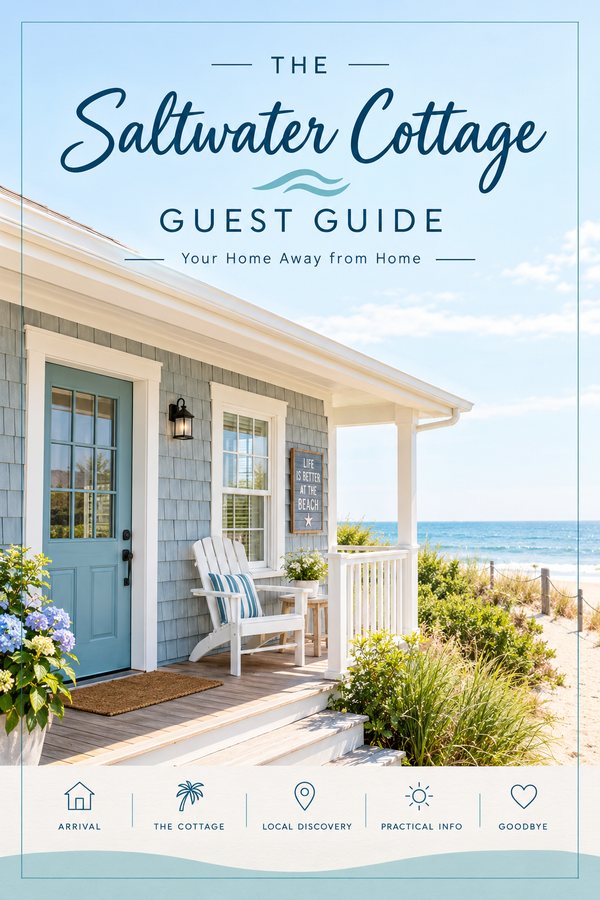
Here’s how the 25 pages of “The Saltwater Cottage Guest Guide” came together:
- Pages 1–3 — Welcome: front cover with the cottage photo, a welcome letter from the hosts and a “your stay at a glance” summary.
- Pages 4–7 — Arrival: directions and parking, self check-in steps, Wi-Fi with a working QR code, and emergency contacts.
- Pages 8–13 — The Cottage: room-by-room guide, kitchen appliances, laundry, outdoor shower, beach gear shed and house rules.
- Pages 14–19 — Local Discovery: best breakfast spots, a sunset walk map, tide-pool tips, rainy-day ideas, the farmers’ market and local seafood.
- Pages 20–23 — Practical Info: trash and recycling days, quiet hours, safety notes and a FAQ.
- Pages 24–25 — Goodbye: check-out checklist, a review request with a QR code and a return-guest offer on the back cover.
Filling in the brief and gathering the photos took about forty minutes. Creating the 25 pages in ChatGPT took a little over two hours, and the Design Lock really did keep every page in the same fonts, colors and layout logic. I regenerated three pages where a photo crop didn’t suit me and adjusted a few lines of copy, which is normal polishing for any design project. The PDF Combiner turned the pages into one clean book in minutes, and the Mockup Studio gave me two portfolio images.
My friend’s guests loved it, so I offered Welcome Books to other hosts in two local Airbnb host groups at $149 per book, using the Demo Project Mode sample and my portfolio mockups. In the first two weeks I delivered 5 Welcome Books, for approximately $745 in client fees. Two of those clients have already asked for Spanish versions, which the built-in languages make easy.
Common Questions About WelcomeBook Studio
- Do I need ChatGPT?
Yes. The Studio prepares the structure and coordinated prompts, and you create the pages with ChatGPT. - Do I need ChatGPT Plus?
The Studio itself doesn’t require a paid plan, though image access and usage limits vary by ChatGPT account. - Does it use the OpenAI API?
No. There’s no API key to configure. - Does it generate the whole book with one click?
No, and that’s intentional. The page-by-page workflow keeps your real information, visual direction and assets coordinated. - Can I create Welcome Books for clients?
Yes. Commercial Rights let you create finished books for paying clients and charge for the work. - What’s the refund policy?
A 30-day technical guarantee covers unresolved technical issues that stop the Studio from working as intended.
Comparison Table: WelcomeBook Studio vs. Alternatives
| Option | Cost | 25-Page Structure | Consistent Design | Client Use |
|---|---|---|---|---|
| WelcomeBook Studio | $16 one-time | Yes, per niche | Design Lock | Commercial Rights |
| Prompting ChatGPT from scratch | Your subscription | You plan it | Tends to drift | Yes |
| Design templates | Around $15–$40 each | Fixed layout | Yes | Often limited |
| Hiring a designer | Around $150+ per book | Yes | Yes | Days of waiting |
Pros and Cons of WelcomeBook Studio
- ✅ A complete 25-page structure for 10 professional niches.
- ✅ Design Lock and Visual Anchor keep every page consistent.
- ✅ Asset guidance and real-data boundaries prevent missing or invented details.
- ✅ 10 languages, A4 and US Letter, and Commercial Rights.
- ✅ PDF Combiner and Mockup Studio bonuses for a finished, presentable book.
- ⚠️ Pages are created one at a time in ChatGPT, so set aside an evening per book; that’s what keeps the design consistent.
- ⚠️ The front end covers 10 niches and 3 styles; PRO expands it to 35 niches and 7 styles if you serve many industries.
Final Verdict on WelcomeBook Studio
WelcomeBook Studio turns ChatGPT from a page generator into a book builder, with the structure, design control and asset guidance a professional Welcome Book needs. For $16 with Commercial Rights and two useful bonuses, it’s an easy recommendation for hosts, freelancers and anyone serving local businesses. If you want to cover more industries and styles, adding PRO is the smooth route. In my opinion, WelcomeBook Studio is worth considering, especially while the launch price is still available.
That’s all what I want to share with you about WelcomeBook Studio. I hope that my review can give you a helping hand in deciding what is best for you.
Important Reminder: When you purchase this product through my special link, you’ll unlock exclusive, valuable bonuses that you won’t find anywhere else! (Please note: these bonuses are only available with the full purchase-not with trial or free versions.)
To claim your bonus gifts, simply complete these two easy steps:
⏩ Step 1: Click the Buy Now button below to secure your copy of this product.

⏩ Step 2: Once your purchase is confirmed, just send a copy of your receipt to dannyreview98@gmail.com. I’ll verify your order and personally send you all the details on how to access your bonus materials.
»»VIP Bonus Package 2026««
»»Graphic Bonus Package««
»»Theme Bonus Package««
»»Plugin Bonus Package««
»»General Bonus Package««